
MazeGenerator Documentation
This plugin is a Spline Generator. It generates labyrinth structures.
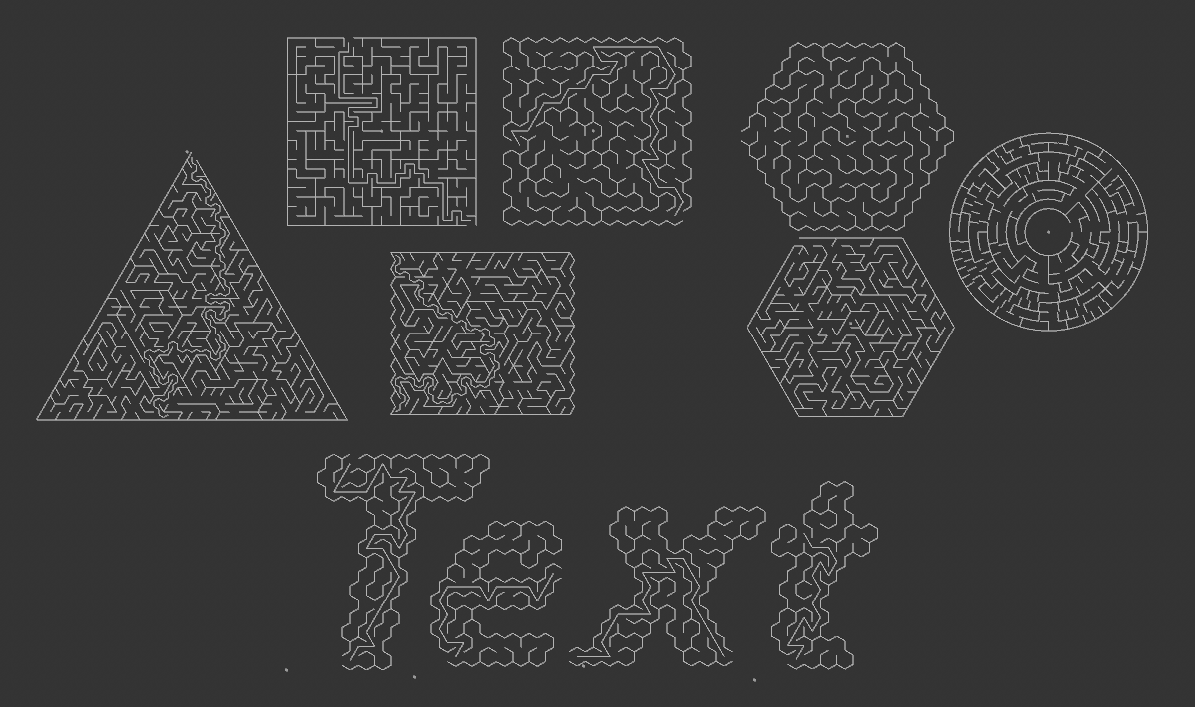
There are 5 shape Maze Types:
Triangular
Rectangular
Hexagonal
Circular
Free Shape - Here the generator will generate a maze to fill any closed spline object child.
E-value (Elitism) - Higher values produce longer corridors, fewer dead ends, more "river-like" flow.
R-value (River) - Higher values produce more branching, shorter corridors, more "tree-like" structure
Mode/Cell Mode - A cell is the smallest area of space that a maze comprises of. This defines the type of cells used to create the overall maze shape. They can be triangles, squares or hexagons.
Chamber - Triangular, Rectangular and Hexagonal have an optional Chamber size. This is an empty space at the center of the maze. When a Chamber is defined the exit is always on the border of it. Circular mazes always have a Chamber, it's not optional.
Start Cell - Defines the cell that will be the entrance to the maze.
End Cell - Defines the cell that will be the exit of the maze.
Show Solution - Draws a spline showing the path from the Start Cell to the End Cell.
Hardest Solution - If enabled will construct a maze where the solution path is also the longest path.
Separate Cells - If enabled each cell will be cached as an individual spline. This is useful for manual editing or MoGraph effects.
Show Cell Centers - If enabled a Null object will be created at the center of each cell. Used for better visualization of the structure.
Credits to Rob Dawson for his GitHub code where many pitfalls and obstacles were avoided due to his insights.
Credits to Jamis Buck for his "Mazes for Programmers - Code Your Own Twisty Little Passages" book.
Do you want to contribute to the development of this plugin? If yes, contact me.
If you like my implemented ideas and find them useful you can buy me a coffee🍵as an encouragement to keep creating new ones and update existing ones. ko-fi.com/happypolygon