ProceduralBridge
A procedural, non-destructive manifestation of the Bridge Tool.
This generator acts as a constantly running Bridge Tool enabling users to bridge non-destructively any number of meshes even primitives.
The most important difference from the normal Bridge Tool is the ability to bridge parametric primitive objects (with the use of the Correction Deformer) and the ability to bridge multiple objects.
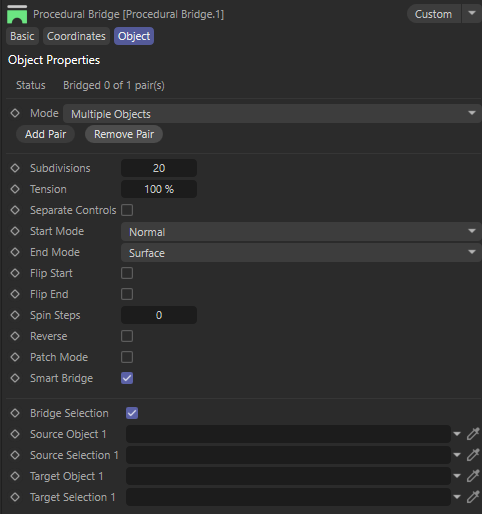
The Mode is just a handy differentiation in the UI, use Single Object if you need to bridge different parts of the same object otherwise the Multiple Objects offer flexibility on bridging different parts of different objects.
The generator conserves Materials of the involved objects.
Bridge Selection will create a Polygon Selection containing only the bridge part allowing users to add a separate Material to it.
Bridging takes place as a binary operation between two objects in Multiple Objects mode. So if you need to connect more than two objects you need to connect them in pairs 1-to-1. First you link the Source Object and its Polygon or Edge Selection Tag and then the Target Object and its Polygon or Edge Selection Tag.
All other attributes are exposures from the Bridge Tool.
Changelog
- 1.0.0 Release Version