Drawing Prototype Generator
Drawing Prototype Generator for Cinema 4D 2026 Turns selected 3D objects into dimensioned technical drawing sheets with orthographic views, sections, detail drawings, and a bill of materials. This alpha release includes a 14-day trial and exports to PDF and DXF; DWG export requires a separately installed ODA File Converter.
Drawing Prototype Generator for Cinema 4D 2026 v1.1.0
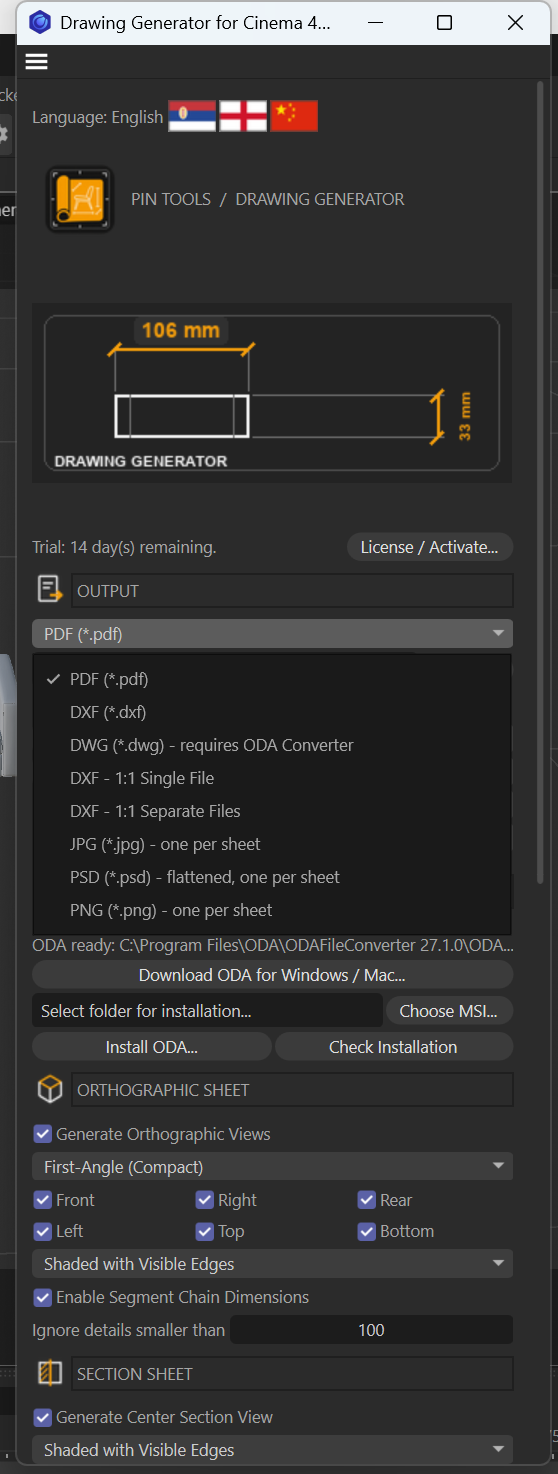
Drawing Generator creates technical drawing sheets from Cinema 4D models. Produce orthographic views, centre sections, detail drawings, dimensions, title blocks, and a bill of materials, then export in PDF, DXF, DWG, JPG, PNG, or flattened PSD format.
Configure views, units, fonts, sheet sizes, and output quality to suit your project. Save frequently used settings as presets. The interface is available in Serbian Cyrillic, English, and Simplified Chinese. A 14-day trial is included.
Note: DWG export requires a separate installation of ODA File Converter. PSD exports are flattened, not layered.
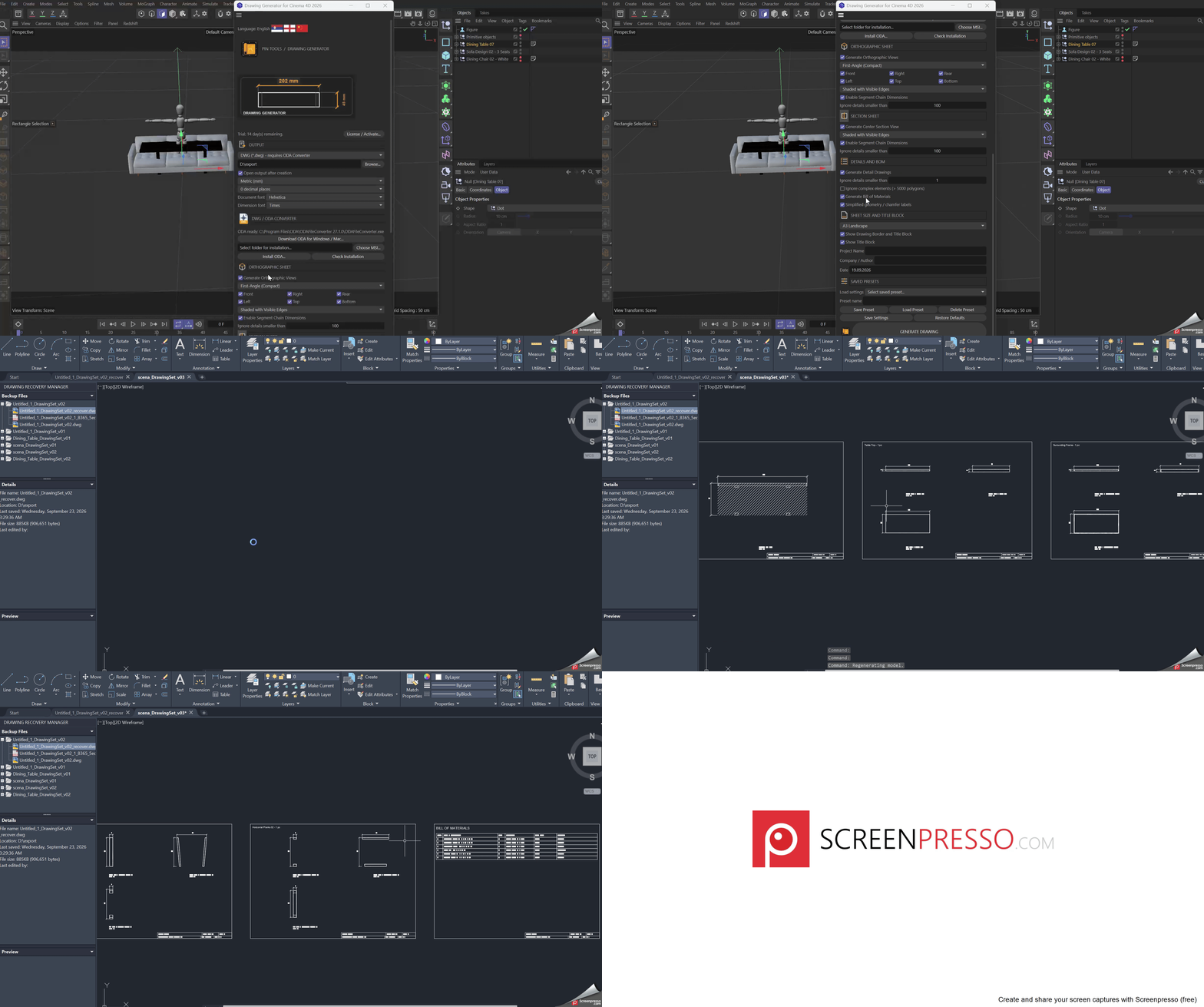
Drawing Prototype Generator for Cinema 4D 2026 v1.1.0
Drawing Generator creates technical drawing sheets from Cinema 4D models. Produce orthographic views, centre sections, detail drawings, dimensions, title blocks, and a bill of materials, then export in PDF, DXF, DWG, JPG, PNG, or flattened PSD format.
Configure views, units, fonts, sheet sizes, and output quality to suit your project. Save frequently used settings as presets. The interface is available in Serbian Cyrillic, English, and Simplified Chinese. A 14-day trial is included.
Note: DWG export requires a separate installation of ODA File Converter. PSD exports are flattened, not layered.
New Plugin options v1.1.0:
Multi-language Interface: Serbian , English, or Simplified Chinese.
Export: PDF, DXF, DWG, JPG, PNG, or flattened PSD. DWG requires a separately installed ODA File Converter. JPG and PNG offer a DPI setting, defaulting to 150 DPI.
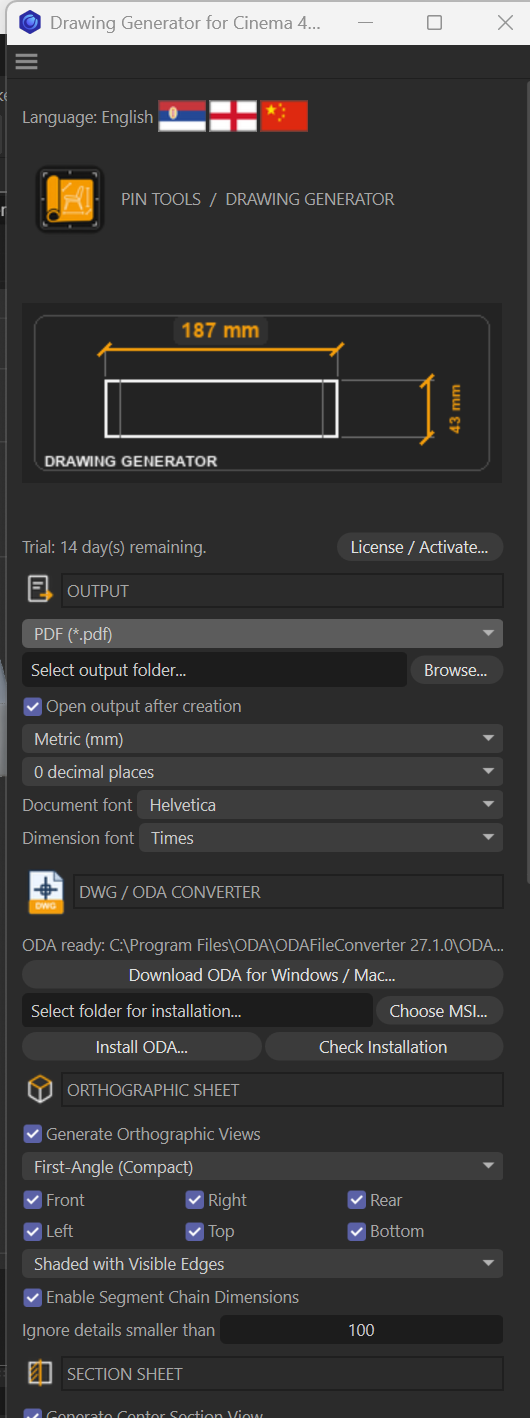
Output settings: Choose an output folder and optionally open it after generation.
Units and text: Millimetres, centimetres, or inches; 0, 1, or 2 decimal places; separate document and dimension fonts.
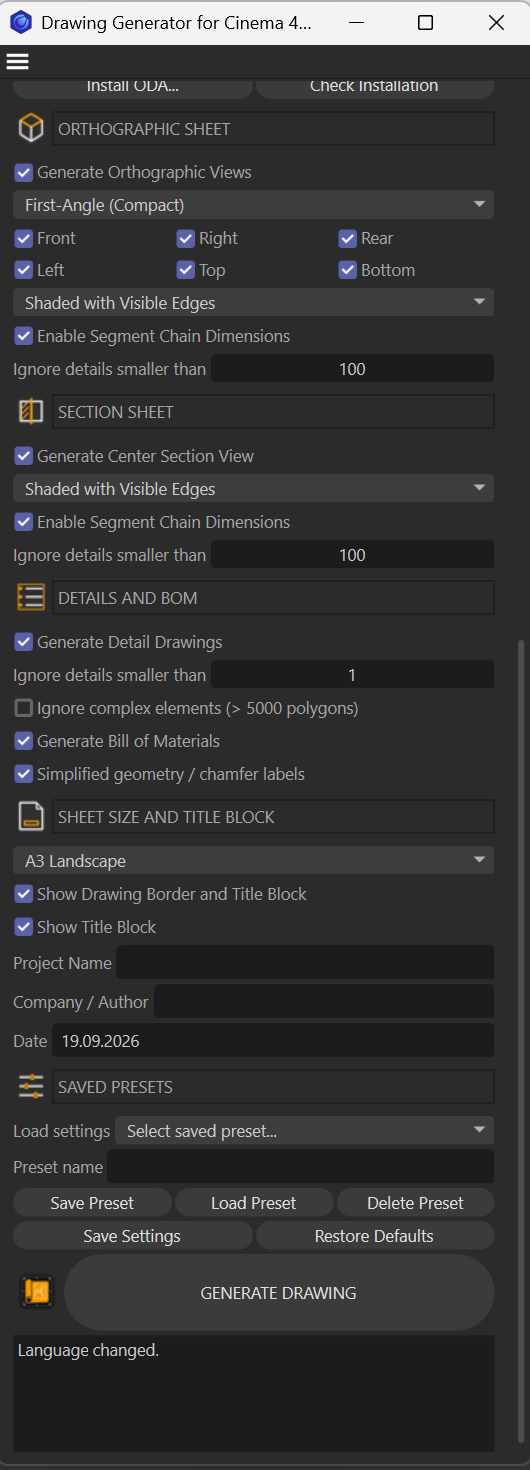
Orthographic drawings: Enable or disable the sheet; choose first-angle, third-angle, or spacious layout; select any of the six views—front, right, rear, left, top, and bottom. Choose an edge-display mode, segment-chain dimensions, and a minimum detail size.
Section drawings: Enable a centre section view, with its own edge-display mode, segment-chain dimensions, and minimum detail size.
Details and bill of materials: Generate detail drawings and a bill of materials; set a minimum detail size; optionally skip complex objects and use simplified geometry/chamfer labels.
Sheets and title block: Choose A4 portrait or A3–A0 landscape; toggle the border and title block; enter project name, company/author, and date.
Presets: Save, load, and delete named presets; save general settings or restore defaults.
Licensing and ODA tools: A 14-day trial and activation, plus controls to find, install, and check the separate ODA converter.
V 1.0
Drawing Generator for Cinema 4D 2026
Turns selected 3D objects into dimensioned technical drawing sheets with orthographic views, sections, detail drawings, and a bill of materials.
This alpha release includes a 14-day trial and exports to PDF and DXF; DWG export requires a separately installed ODA File Converter.
Features
Orthographic views, a center section, and detail drawings.
Dimensions, a title block, and a bill of materials.
PDF and DXF export; DWG export requires a separately installed ODA File Converter.
Saved settings and named presets.
A 14-day trial period.
Installation
Copy the
DrawingGeneratorC4Dfolder into the Cinema 4D 2026pluginsfolder.Remove any older or other version of Drawing Generator from that folder. Do not install two versions at the same time.
Restart Cinema 4D and open the plugin from the Extensions menu.
DWG
For DWG export, install ODA File Converter separately from its official website. This package does not contain the ODA installer or its code. The plugin includes a button to open the website and an installation check.
Alpha release notes
Check dimensions and lines on exported sheets before production use.
Visible and hidden edge display is not a full CAD renderer; complex models may require manual refinement.
Generator objects may need an evaluated polygon cache or conversion using Current State to Object.
Planned for the next update — not included in this version
Switch the interface to English or Simplified Chinese.
Automatically dimension interior openings and polygons.
Export to JPG.
Export to PSD.
Changelog
- 1.0.1 Drawing Prototype Generator for Cinema 4D 2026 v1.1.0 Drawing Generator creates technical drawing sheets from Cinema 4D models. Produce orthographic views, centre sections, detail drawings, dimensions, title blocks, and a bill of materials, then export in PDF, DXF, DWG, JPG, PNG, or flattened PSD format. Configure views, units, fonts, sheet sizes, and output quality to suit your project. Save frequently used settings as presets. The interface is available in Serbian Cyrillic, English, and Simplified Chinese. A 14-day trial is included. Note: DWG export requires a separate installation of ODA File Converter. PSD exports are flattened, not layered. New Plugin options v1.1.0: - Multi-language Interface: Serbian , English, or Simplified Chinese. - Export: PDF, DXF, DWG, JPG, PNG, or flattened PSD. DWG requires a separately installed ODA File Converter. JPG and PNG offer a DPI setting, defaulting to 150 DPI. - Output settings: Choose an output folder and optionally open it after generation. - Units and text: Millimetres, centimetres, or inches; 0, 1, or 2 decimal places; separate document and dimension fonts. - Orthographic drawings: Enable or disable the sheet; choose first-angle, third-angle, or spacious layout; select any of the six views—front, right, rear, left, top, and bottom. Choose an edge-display mode, segment-chain dimensions, and a minimum detail size. - Section drawings: Enable a centre section view, with its own edge-display mode, segment-chain dimensions, and minimum detail size. - Details and bill of materials: Generate detail drawings and a bill of materials; set a minimum detail size; optionally skip complex objects and use simplified geometry/chamfer labels. - Sheets and title block: Choose A4 portrait or A3–A0 landscape; toggle the border and title block; enter project name, company/author, and date. - Presets: Save, load, and delete named presets; save general settings or restore defaults. - Licensing and ODA tools: A 14-day trial and activation, plus controls to find, install, and check the separate ODA converter.
- 1.0.0 -Drawing Prototype Generator for Cinema 4D 2026 -v0.6.3 -This is a separate alpha release; generating drawing sheets retains the existing view names and drawing template. Features - Orthographic views, a center section, and detail drawings. - Dimensions, a title block, and a bill of materials. - PDF and DXF export; DWG export requires a separately installed ODA File Converter. - Saved settings and named presets. - A 14-day trial period. -DWG For DWG export, install ODA File Converter separately from its official website. This package does not contain the ODA installer or its code. The plugin includes a button to open the website and an installation check. Alpha release notes - Check dimensions and lines on exported sheets before production use. - Visible and hidden edge display is not a full CAD renderer; complex models may require manual refinement. - Generator objects may need an evaluated polygon cache or conversion using Current State to Object. Planned for the next update — not included in this version - Switch the interface to English or Simplified Chinese. - Automatically dimension interior openings and polygons. - Export to JPG. - Export to PSD.